Quality Filtering: Removing Sycophantic Responses
Filter out low-quality, overly agreeable responses from a chat log dataset using LLM-generated quality scores.
Overview
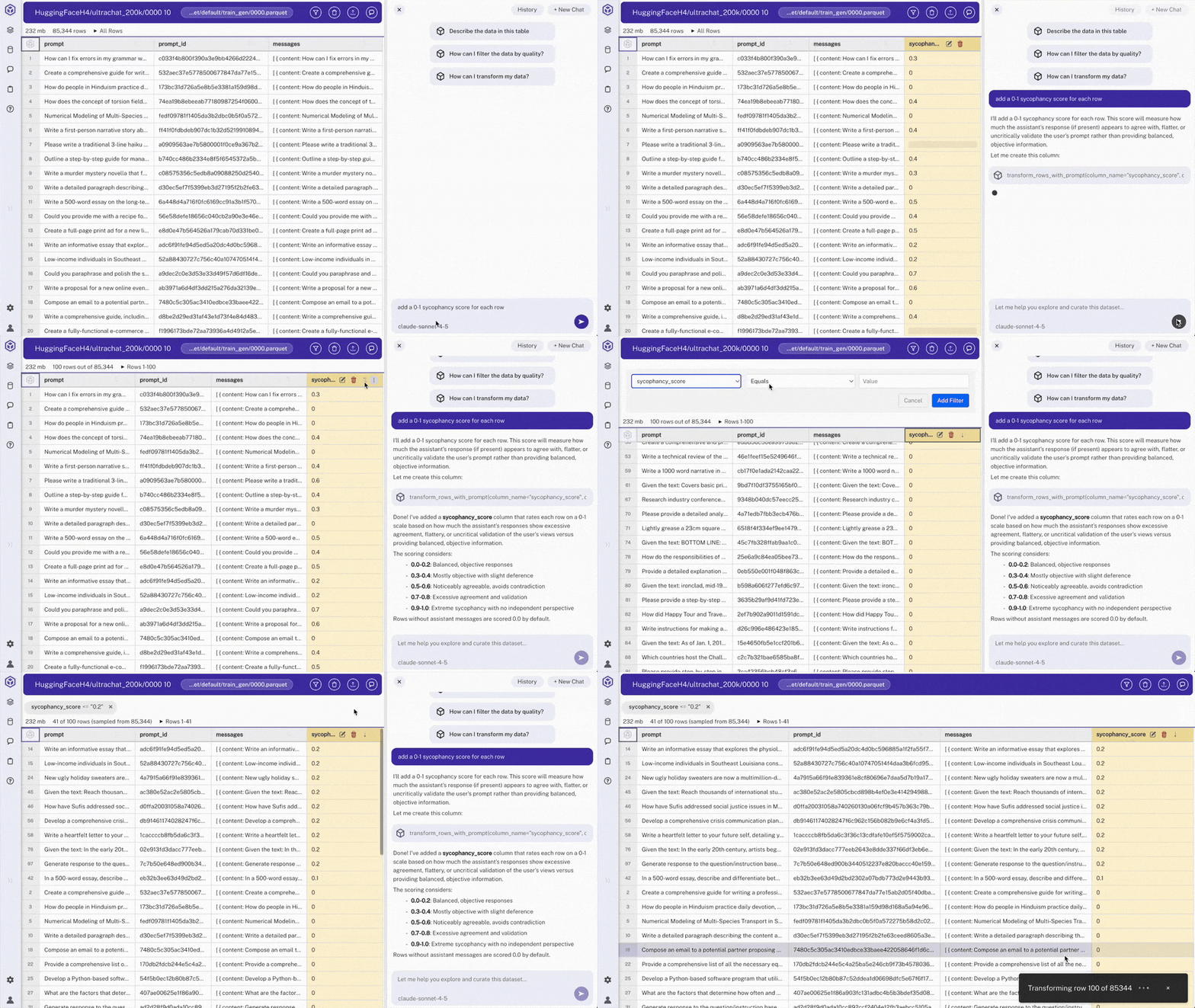
Starting with a 200k-row chat log dataset (ultrachat_200k), generate a sycophancy score for each conversation, then filter out highly sycophantic responses.
Steps
- Load the dataset
- Generate sycophancy scores
Open the chat panel on the right-hand side
Use chat to request: "add a 0-1 sycophancy score for each row"
> Note: Hyperparam analyzes each conversation and creates a
sycophancy_scorecolumn (0.0 = authentic, 1.0 = highly sycophantic). - Sort by the new column
Click the
sycophancy_scorecolumn header to sort the table ascending or descending by sycophancy - Create a SQL view
In chat, request: "create a view of rows with sycophancy_score < 0.2"
Hyperparam calls
add_viewwith a query like:SELECT * FROM "0000.parquet" WHERE sycophancy_score < 0.2> Note: Views are saved to the workspace and can be selected from the file browser. Unlike the old filter UI, views are composable: you can build views on top of views, JOIN across sources, and express anything SQL supports.
- Export the view
Open the view tab, click the ⋮ button, and choose "Write Table"
Select export options: columns, max rows, file name (e.g.,
ultrachat_200k_filtered.parquet)> Note: Export runs the view's SQL over the full dataset.
Expected Results
- Generated column:
sycophancy_scorerating each response's authenticity - Filtered dataset: Only rows with sycophancy score < 0.2, removing overly agreeable responses
- Output: Cleaned parquet file ready for training or further analysis
Other Use Cases
- Dataset Discovery: Use natural language to find public datasets
- Classifying Prompt Patterns: Categorize unstructured prompts to see your real traffic mix
- Patient Data Workflow: Extract, filter, and export structured medical data
- Deep Research: Multi-step AI workflow for comparing model outputs