Explore and transform AI data at scale
Agent logs, LLM training sets, eval sets, and chat histories are huge, nested, and mostly text. Hyperparam opens millions of rows straight from S3, GCS, Azure, Hugging Face, or your laptop, in your browser, so you can explore them, transform them with AI-generated columns and SQL, and export what you keep.
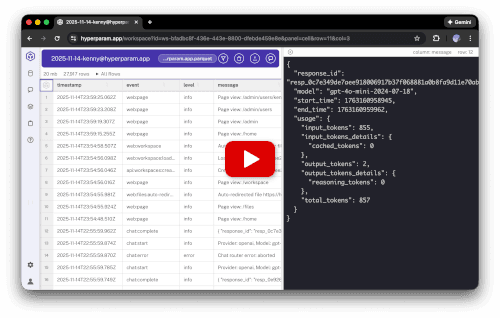
What you can do with Hyperparam
Open Claude Code transcripts, Codex sessions, ChatGPT exports, Langfuse, LangSmith, and Phoenix traces, or any Parquet, JSONL, or CSV dataset. Then explore, surface issues, and transform. Here are a few of the workflows teams run on their data.
Debug wasted tool calls
Find avoidable tool failures in your agent traces and capture suggested prompt fixes:
- Load your agent log file (Parquet or JSONL).
- Ask chat to surface failed tool calls as a new column.
- Classify each failure as avoidable (prompt or schema error) or necessary (probing the environment).
- Generate a column of suggested prompt fixes for the avoidable ones.
- Save the workflow as a skill to re-run on next week's logs.
Expected results: Failure categorization across the dataset, concrete prompt fixes you can ship, a reusable skill.
Filter out low-quality chat responses
Score and remove sycophantic or weak responses from your chatbot history:
- Load your chat log dataset.
- Ask chat to add a 0-1 sycophancy score for each row.
- Sort or filter on the new column to inspect the worst offenders.
- Create a SQL view of the rows you want to keep and export.
Expected results: New score column, filtered dataset, cleaned export ready for fine-tuning or eval.
Classify what your assistant is being asked to do
Categorize unstructured system prompts or user messages to see your real traffic mix:
- Load your conversation dataset.
- Ask chat to create a category column from the prompt text.
- Sort and review to verify category assignments.
- Build a SQL view to see the distribution of prompt patterns across the dataset.
Expected results: A categorical column, a clear picture of which prompt patterns dominate, and where they fail.
Compare model performance on real traces
Run multiple models against the same inputs from your log set and pick the best:
- Load a dataset of inputs (your own or a public one).
- Ask chat to summarize or answer with multiple models in parallel columns.
- Compare outputs side by side and have the agent explain the differences.
- Get a recommendation for which model to use, grounded in your data.
Expected results: Side-by-side model outputs, qualitative comparison, a recommendation backed by real traces.
Features built for AI data at scale
Powerful performance
Stream multi-gigabyte Parquet and JSONL files directly from object storage. Lazy computation keeps billion-row tables responsive.
AI agent that works with you
Ask in plain language: which sessions failed, which responses are low quality, what your prompts are really asking for. The agent searches your data, adds columns, builds SQL views, and surfaces the answers.
Join across all your sources
Combine local files, S3, GCS, Azure Blob, Hugging Face, Iceberg tables, and GitHub repos in a single workspace. Run SQL across sources to correlate agent behavior with the code, issues, and prompts that drove it.
Browser-first by design
Credentials stay in the browser. HTTP range requests pull only the bytes needed, with no server-side proxy and no warehouse round-trip. Local files never leave your machine unless you choose to upload them.
Supported formats
Open Parquet, JSONL, and CSV files at multi-gigabyte scale. Drill into nested conversations, tool calls, and reasoning steps without flattening them first.
Skills and export
Save a workflow once and re-run it on next week's logs. Export filtered datasets as Parquet, JSONL, or CSV to feed your eval, fine-tuning, or prompt-engineering pipelines.
Where Hyperparam fits
Hyparam Corporation builds two products on the same engine. HypAware is the improvement loop for all your agents: collection, storage, analysis, and action. Hyperparam is the exploration and transformation tool. Both read the same open Apache Iceberg tables.
HypAware: collect, store, analyze, and act
A free, open source CLI hooks into Claude Code, Codex, Cursor, OpenClaw, Hermes, and anything else that speaks OpenTelemetry, and writes every session as Apache Iceberg tables. HypAware reads those sessions at scale, finds what is broken, hands your agent the fix, and checks on the next pass that it held. HypAware Cloud runs that loop across a whole team and its fleet.
Hyperparam: explore and transform
A browser-native client that reads Iceberg and Parquet directly from your bucket. No cluster, no SQL endpoint, no ingestion. Join trace tables with GitHub repos, other buckets, other Iceberg tables, and existing warehouse exports in one workspace. Credentials stay in the browser; an agent can query its own traces with no auth proxy in between.
Both close a loop. HypAware's findings go back into your agents' prompts and skills, and the next pass checks that they held. What you transform in Hyperparam goes back into the tables, and what you find goes back into your agents.